Rewarding Google Reviews: What’s Allowed
Rewarding customers for Google reviews is risky: Google prohibits incentives, German competition law penalises paid reviews and review gating.

Short answer: No, customers in Germany should not be rewarded for Google reviews. Google expressly prohibits incentives such as vouchers, discounts, free products, competitions or benefits in exchange for reviews. What is allowed is asking customers neutrally for an honest review – without pressure, without pre-selection and without anything in return.
- Google allows you to ask for reviews via a link or QR code, for example on receipts, in thank-you emails, after chat interactions or on printed materials in your shop or premises – but without an incentive.
- Payments, discounts, free products or services for posting, changing or removing a review are prohibited.
- Review gating is also prohibited: businesses may not prevent negative reviews or deliberately ask customers only for positive reviews.
- If rules are breached, Google may remove reviews, temporarily block new reviews or display a warning on the Business Profile.
- In Germany, competition law is also relevant: the German Unfair Competition Act (UWG) regulates misleading consumer reviews and fake reviews, among other things.
Last updated: November 2026. Scope: local businesses in Germany, especially restaurants and cafés, medical practices, pharmacies, trades, car repair shops, car dealerships, retail businesses as well as chains and franchises.
Can I reward customers in Germany for Google reviews?
No. Rewarding Google reviews is prohibited under Google’s policies and is risky under German competition law. This also applies if you write “honest review” and do not explicitly ask for five stars.
Google is clear about this: incentives such as free or discounted goods or services in exchange for reviews are considered fake engagement and are strictly prohibited. In its Maps policies, Google also lists payments, discounts, free products and services as prohibited incentives for reviews or for changing or removing negative reviews.
For local businesses, this means in practice: a café should not offer a coffee for a review, a garage should not offer a discount on the next inspection, a medical practice should not offer a thank-you gift and a car dealership should not offer entry into a prize draw. Even “Everyone who leaves a review will be entered into …” is problematic because the review no longer appears purely voluntary.
The safer route is simpler: ask all suitable customers neutrally for an honest review – without anything in return, without controlling the content and without pressure. If you need wording, a clean process helps more than a voucher. You can also find more on this in the article Asking customers for a review: templates & legal tips.
What is the difference between a Google rating, a review and stars?
A Google rating usually means the star rating from 1 to 5 stars; a review is the written experience report that goes with it. In everyday language, the terms are often mixed because Google displays stars, text, photos and sometimes additional details together in the Business Profile.
The three most important terms:
| Term | Everyday meaning | Example |
|---|---|---|
| Rating | Usually the star rating from 1 to 5 | “4 stars” |
| Review | Written experience report | “Fast repair, friendly service” |
| Google reviews | Umbrella term for stars, reviews and often photos too | Average 4.6 from 128 reviews |
For businesses, the distinction matters because incentives are prohibited for both. So you may not say: “Get 10% off for five stars.” But you also may not say: “You’ll receive a voucher for any review.” Both variants link the review to a benefit.
For customers, the key point is this: a review should be based on a real experience. Google states that reviews and ratings must be based on genuine experiences with a place or business.
Which rewards for Google reviews are prohibited?
Anything that can be understood as something in return for a review is prohibited. The decisive factor is not only whether money changes hands, but whether the customer leaves a review because of a benefit.
Typical no-gos:
- Voucher for a Google review
- Discount on the next purchase or next treatment
- Free coffee, dessert, accessory or upgrade
- Entry into a prize draw only after leaving a review
- Bonus points in a loyalty programme
- Waiving a claim or goodwill only in exchange for a positive review
- “Review us and show the screenshot at the till”
- “Change your review and we’ll refund …”
- Internal instruction to employees to collect a certain number of reviews per shift
- Asking only satisfied customers, while redirecting dissatisfied customers to an internal form
In 2025, the German Centre for Protection against Unfair Competition (Wettbewerbszentrale) publicised a case in which a real estate company had linked a prize draw to a five-star review; the centre considered this anti-competitive and points out that any exchange of a review for entry into a prize draw is problematic.
In practice, you can use this table as a guide:
| Measure | Assessment | Why |
|---|---|---|
| “We’d be happy to receive your honest review” | Allowed | neutral, no benefit |
| QR code on invoice or counter | Allowed | Google names QR codes and receipts as possible methods |
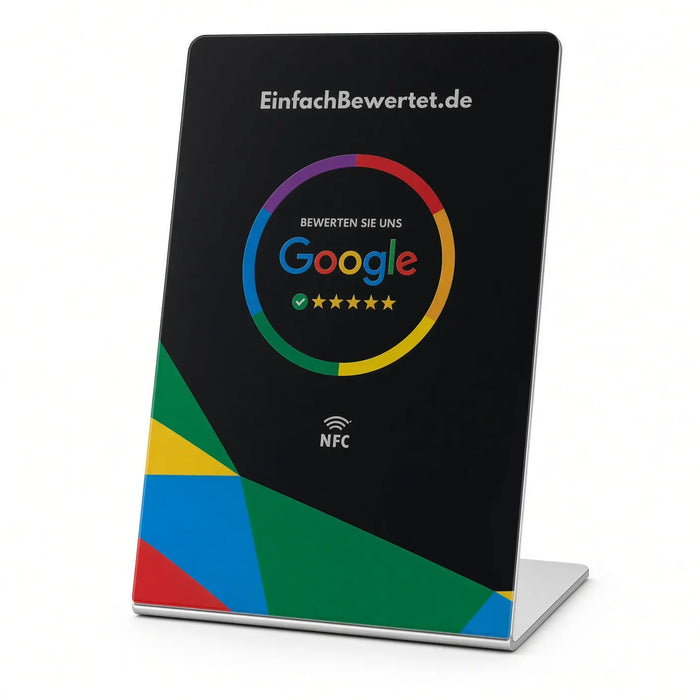
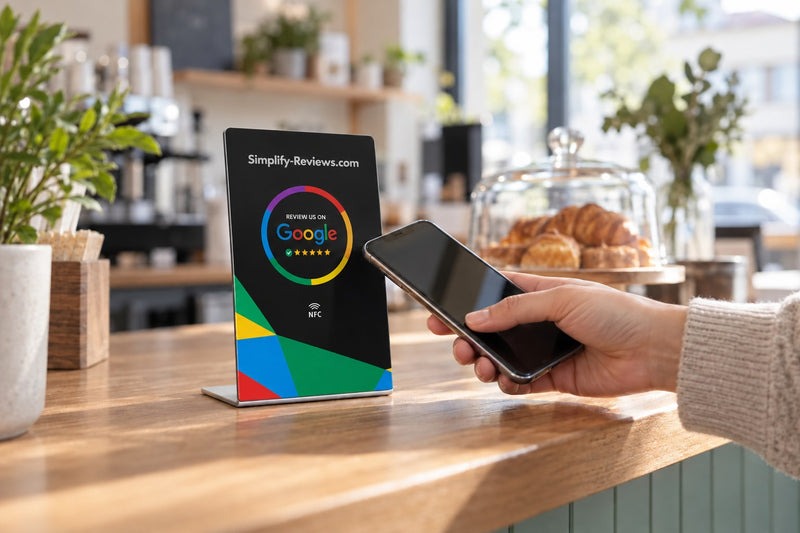
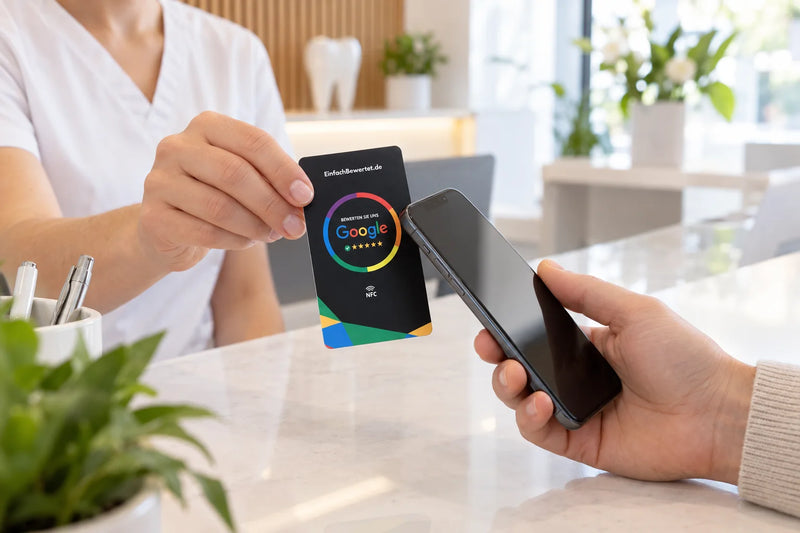
| NFC display on the counter without pressure | Allowed | technical access, no consideration |
| Voucher for every review | Prohibited/risky | incentive for a review |
| Prize draw for reviewers | Prohibited/risky | review becomes a condition of entry |
| Sending only satisfied customers to Google | Prohibited/risky | review gating |
| Employees review their own business | Prohibited/risky | conflict of interest |
What does German competition law say about bought or rewarded reviews?
German competition law protects consumers from being influenced by manipulated or misleading reviews. Particularly relevant are Section 5b UWG and the annex to Section 3(3) UWG.
Under Section 5b(3) of the German Unfair Competition Act (UWG), information about whether and how a business ensures that published reviews come from actual customers is considered material if it makes consumer reviews accessible. This is especially relevant for reviews that you embed, quote or use as advertising on your own website.
The annex to the UWG also names two points: misleading consumers about the authenticity of consumer reviews, and submitting or commissioning fake reviews. Rewarded reviews are not automatically “fake” in every individual case, but they can mislead consumers if the commercial influence is not clearly recognisable. Independently of this, they remain prohibited under Google’s policies.
Important: This article does not replace legal advice. If you are planning a larger review campaign, a prize draw campaign or the integration of reviews on your website, a specialist lawyer for competition law should review your specific implementation.
What is allowed instead of rewards if I want to collect more Google reviews?
What is allowed is a neutral, simple review process that is the same for all customers. The goal is not to collect only praise, but to make real experiences visible.

Illustrative image (AI-generated)
Google itself names several permitted methods: a link on receipts, a thank-you email, the end of a chat interaction or a printed QR code in the business. In its tips for getting more reviews, Google also states that businesses can ask customers to click a Google link or scan a QR code.
Allowed everyday examples:
- Restaurant: QR code on the bill or a small display by the exit
- Dental practice: neutral request at reception after treatment is complete
- Physiotherapy: link in the appointment follow-up email
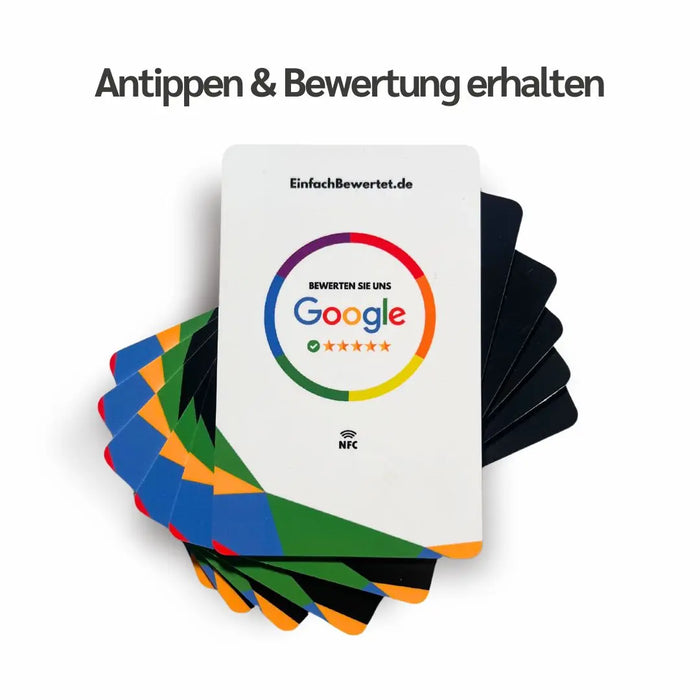
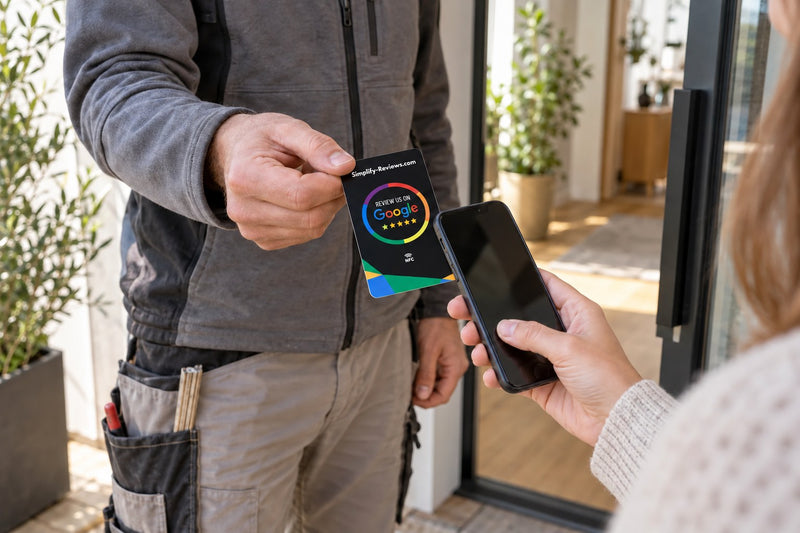
- Car repair shop: card at vehicle collection with the note “Your honest experience helps others”
- Trades: review link in the completion email after acceptance
- Hotel: QR code at reception or in the departure email
Pre-sorting by satisfaction is not allowed, for example: “Were you satisfied? Yes → Google; No → internal feedback form.” This so-called review gating is problematic under Google’s policies because it prevents negative reviews and specifically promotes positive ones. You can read more in the article Review gating is prohibited in Germany.
What does a clean request for a Google review look like?
A clean request is short, neutral and comes at the right moment. Ideally, ask after a genuine customer interaction, once the service, purchase or appointment has been completed.

5-step process for local businesses
- Choose the moment: directly after payment, collection, treatment, handover or successful completion.
- Ask all suitable customers: not only enthusiastic customers, but everyone with whom there has been a real interaction.
- Use neutral wording: no specification of stars or content.
- Shorten the route: use a review link, QR code or NFC.
- Do not control it: do not ask for a screenshot, do not stand next to the customer, do not follow up with “Why only four stars?”.
Good wording:
- “If you’d like to share your experience, we’d be grateful for an honest Google review.”
- “Your feedback helps other customers make a decision and helps us improve.”
- “You can scan the QR code or open the link later when you have time.”
- “Of course, leaving a review is voluntary.”
Poor wording:
- “If everything was OK, please give us five stars.”
- “Show us your review and you’ll receive a discount.”
- “Please review us quickly here on site.”
- “Only positive reviews help us.”
Especially important: make it easy for customers, but not uncomfortable. A visible QR code or NFC display is less intrusive than an employee waiting with a phone. If you use QR codes on till receipts, you’ll find additional guidance in the article Review link on a receipt: using QR codes correctly.
Where can I see Google reviews and find my own reviews?
Customers can see Google reviews directly in the Business Profile in Google Search and Google Maps. The average rating, number of reviews, individual experience reports and sometimes photos appear there.
How customers see reviews:
- Search for the business or place in Google Maps.
- Open the Business Profile.
- Click the star rating or the number of reviews.
- Read, sort or filter reviews.
Users can find their own reviews in Google Maps via “Your contributions” and then in the “Reviews” section. Google also explains that users can edit or delete their own reviews: open Google Maps, three-line menu, “Your contributions”, “Reviews”, then edit or delete via the three-dot menu.
Customers can also write a new review via Google Maps or the Business Profile. They search for the place, click “Write a review”, give 1 to 5 stars and can optionally add text or photos. They must be signed in to a Google Account; according to Google, this account can also be created with an email address that is not a Gmail address.
How should I deal with negative or false Google reviews?
You should first respond to negative reviews objectively, not try to delete them. Removal is only an option if the review breaches Google’s policies.
Google states expressly: do not report reviews that you simply dislike but that are factually correct; Google does not mediate disputes between businesses and customers. Reported reviews can be removed if they breach content policies – for example spam, hate speech, abusive content, conflicts of interest or reviews without a genuine experience.
Practical process:
- Save a screenshot of the review.
- Check: was the person a customer? Are there processes, invoices, appointments?
- Respond publicly and calmly: brief, privacy-compliant, solution-oriented.
- If there is a policy breach, report the review in the Business Profile.
- Track the status in Google’s tool.
- For clearly unlawful content, obtain legal review.
Since 2026, greater transparency around deleted reviews has also been an issue: tagesschau reported on 7 May 2026 that Google can also show in Germany how many reviews have been deleted from profiles; according to the report, deletion requests due to defamation were a particular focus in Germany. For businesses, this means: do not reflexively try to delete everything negative. Respond professionally and report only what truly breaches rules or the law.
What should restaurants, medical practices, trades and car businesses pay special attention to?
Businesses with a lot of personal customer contact need a simple, repeatable process without pressure. Restaurants, cafés, medical practices, pharmacies, garages and trades businesses in particular can regularly collect honest Google reviews without rewarding customers.
Hospitality: The best moment is after payment or when the guest is leaving. A QR code or NFC display at the till, counter or exit works better than a long explanation at the table. Important: no free dessert, no espresso and no prize draw for reviews.
Medical practices, physiotherapy, pharmacies and opticians: Privacy and tact are crucial. Ask neutrally after the service has been completed, not in sensitive treatment situations and not in relation to diagnoses or complaints. Patients must never feel that a review is a prerequisite for special attention.
Trades: Ask after acceptance or project completion. A short completion email with a review link is often better than asking in the middle of a construction site. For larger projects, the request should go to all clients after completion, not only to those who are especially satisfied.
Car repair shop and dealership: Good moments are vehicle collection, the end of a test drive or handover. A small display at the service counter, a card in the vehicle or a link in the invoice email lowers the barrier. What helps a car repair shop or dealership is not a discount, but timing: ask directly after a solved problem, a transparent explanation and a smooth handover.
Google also names reviews as a factor for local prominence: local results are based mainly on relevance, distance and prominence; prominence can be influenced, among other things, by the number of reviews and positive ratings. Even so, there is no guarantee of more reviews, better stars or a specific ranking.
Our view
In our experience, many review processes do not fail because customers are dissatisfied, but because of two things: the route to leaving a review is too complicated, and the team asks too rarely or too unclearly. A reward then looks like the quick fix, but it is exactly the wrong lever. It creates legal risk, can breach Google’s policies and undermines trust in the reviews.
What matters more is a clean everyday process. Within 10 seconds, the customer should understand: “This is where I can share my real experience, voluntarily and without any benefit.” In restaurants, that is often the moment after payment. In medical practices, after the appointment. In trades, after acceptance. In the garage, at vehicle collection. The key is that the business does not ask for stars, does not pre-sort and does not offer anything in return.
We also recommend not setting rigid internal review quotas per employee. That creates pressure and can lead to poor wording. A process goal is better: every suitable customer receives a neutral opportunity to leave a review. Quality then comes from good service, clear communication and a low technical barrier.
— Simplify Reviews Team
How we help
We help local businesses make the permitted path to a Google review short and practical for everyday use. The Google Review Display takes customers directly to the review form with an NFC tap; a QR code serves as a fallback for older devices. For field service, workshop reception or front desk use, the Google Review Card and the Google review link for email signatures are also suitable. If the profile itself first needs to be set up properly, we also support you with Google Business Profile optimisation – without bought reviews and without review gating.
Frequently asked questions
Can I give a voucher for a Google review?
No. Vouchers, discounts, free products or other benefits in exchange for Google reviews are prohibited under Google’s policies. This also applies if you do not explicitly ask for five stars.
Can I run a prize draw for customers who leave a review?
You should avoid this. If entry into the prize draw is linked to a review, the review is motivated by a benefit. The German Centre for Protection against Unfair Competition considers such models problematic, especially if reviews are later used in advertising.
Can I ask only satisfied customers for a review?
No, that is review gating and risky. Google prohibits preventing negative reviews or specifically asking customers only for positive reviews. Ask neutrally and without pre-selection.
How do I write a review on Google?
Search for the business in Google Maps or Google Search, open the Business Profile and select “Write a review”. Then give 1 to 5 stars and optionally add text or photos. You must be signed in with a Google Account.
How can I review my own business on Google?
As the owner, an employee or a closely connected person, you should not review your own business. Such reviews may be considered a conflict of interest and breach the policies. Instead, ask real customers neutrally for honest feedback.
How can I have a negative Google review removed?
You can report a review if it breaches Google’s policies, for example in cases of spam, insults, conflict of interest or no genuine experience. Factual negative criticism is generally not removed simply because the business dislikes it. Document the case and seek legal advice for clearly unlawful content.
Sources
- Google: Prohibited and restricted content
- Google Business Profile Help: Create a link or QR code to request reviews
- Google Business Profile Help: Tips for getting more reviews
- Google Business Profile Help: Business Profile restrictions for policy violations
- Google Business Profile Help: Report inappropriate reviews
- Google Maps Help: Add, edit or delete reviews and ratings
- Google Business Profile Help: Improve your local ranking on Google
- Gesetze im Internet: German Unfair Competition Act
- Wettbewerbszentrale: Prize draw in exchange for review
- tagesschau: Why Google shows the number of deleted reviews
Read more
- Collecting Google reviews at car dealerships: the path to greater customer trust
- More Google reviews for medical practices – what is allowed
- NFC for trades businesses
- PDF guide: deleting a Google review
Title image: illustrative image (AI-generated)