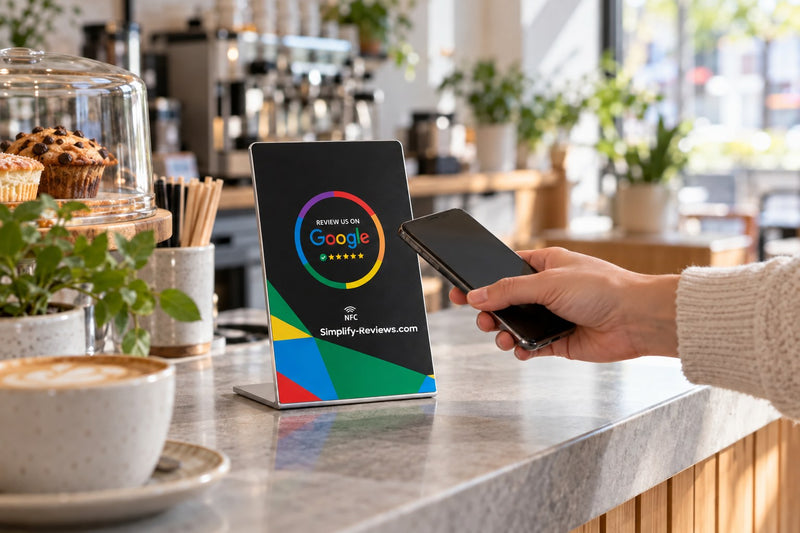
QR Code Display Stand for Google Reviews: How It Works
How to use a Google review QR code display stand legally and effectively: create your link, use QR and NFC, choose the right location and follow the rules for restaurants.
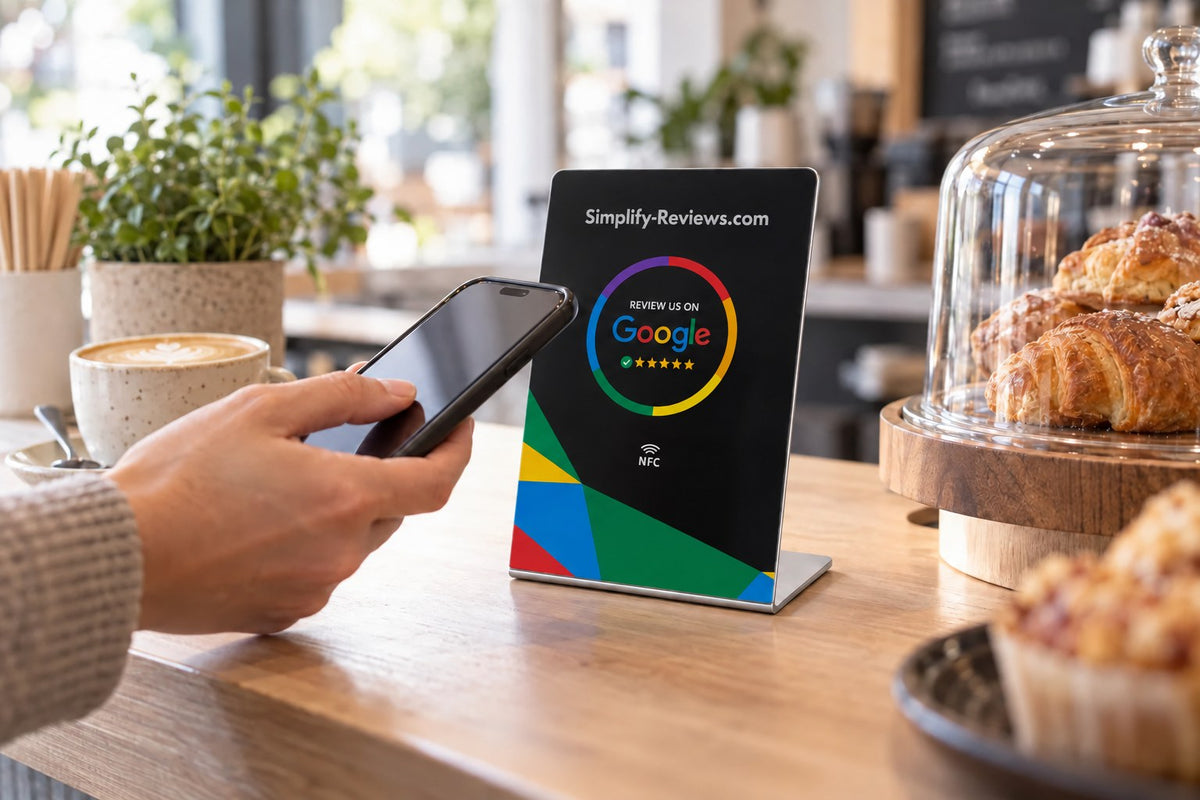
Quick answer: A Google review QR code display stand is a table or counter display that takes customers directly to the review form for your Google Business Profile – via QR code, often supported by NFC tap. In Germany, this is useful and legally safe to use if you ask all genuine customers neutrally, do not offer rewards and do not filter out negative opinions. For restaurants, cafés, medical practices, retail businesses and trades, the display works best wherever the experience is still fresh: at the till, counter, reception desk, table or handover point.
- Google explicitly allows businesses to create a link or QR code to request reviews and print it in-store; according to Google, the QR code can currently only be generated in a computer browser.
- Rewards such as free or discounted goods or services in exchange for reviews are strictly prohibited by Google.
- According to Google, local search results are based mainly on relevance, distance and prominence; more reviews and positive ratings can influence local ranking, although no specific ranking can be guaranteed.
- For 30 percent of Germans, online reviews are the most important criterion when choosing a new restaurant or café.
- NFC is practical for everyday store use because iPhones from XS onwards support background tag reading and Android can process NFC tags via NDEF; the QR code remains the fallback for older devices or devices with NFC disabled (Apple Developer, Android Developers).
Last updated: November 2026. Scope: local businesses in Germany, especially restaurants, cafés, hairdressers, medical practices, hotels, retailers, tradespeople, car dealerships, estate agents, insurance agencies, as well as branch and franchise businesses.
What is a Google review QR code display stand?
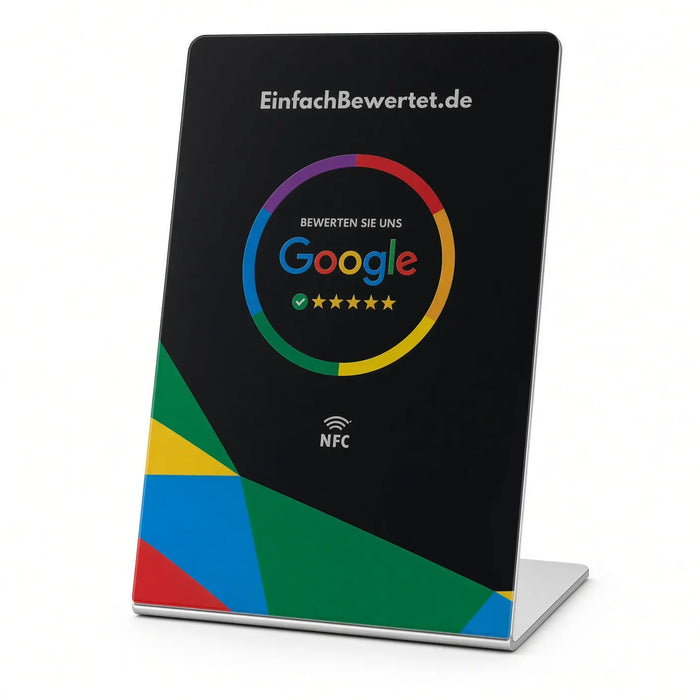
A Google review QR code display stand is a visible prompt in your business that takes customers directly to the review submission page for your Google Business Profile. Technically, it usually uses a Google review link printed as a QR code; modern versions also combine the QR code with an NFC chip.
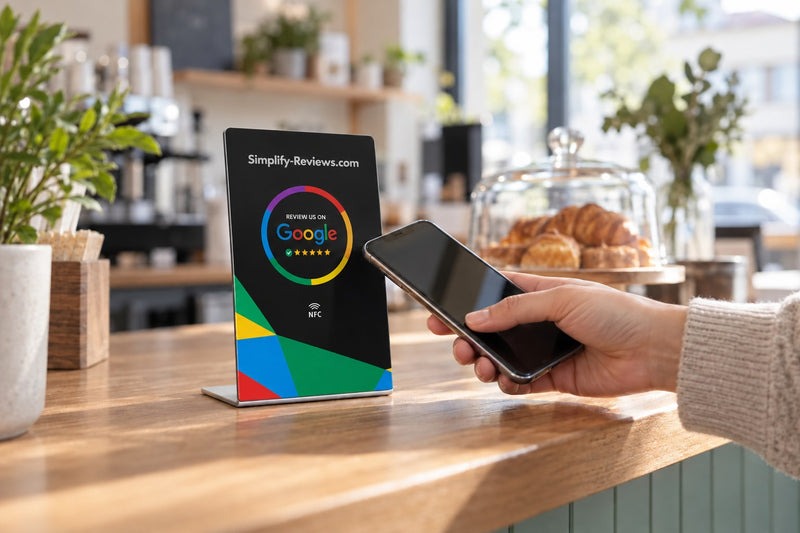
The difference from a standard flyer is the moment of use: the display is placed where the customer has just had a real experience. They do not have to search later for what your business is called on Google, but can simply scan the code or tap the NFC area with their smartphone.
Typical places to use it include:
- Restaurant table, counter or till area
- Hotel reception or breakfast room
- Styling station at a hairdresser or beauty salon
- Reception desk at a medical practice
- Sales counter in a retail store
- Vehicle handover at a car dealership
- Project completion or invoice folder for tradespeople
The distinction is important: a display stand does not collect the review itself. It only shortens the path to the official review form. The review is still submitted by the customer in their own Google account and is subject to Google’s policies.
How do you create the right Google review link and QR code?
The cleanest way to create the QR code is through your Google Business Profile by using the “Get more reviews” section. Google describes the process in the Business Profile: read reviews, select “Get more reviews”, copy the link or save the QR code.

Practical process:
- Open your Google Business Profile on desktop.
- Select “Read reviews”.
- Click “Get more reviews”.
- Copy the review link.
- Save the QR code or generate a print-ready QR code from the link.
- Test the link on iPhone and Android before printing.
- Check whether the link opens the correct review form for your branch directly.
For businesses with multiple locations, step 7 is crucial. A QR code for the wrong branch means reviews end up at the wrong location. Restaurant chains, franchise businesses and practices with several locations should therefore give each branch its own link and its own QR code.
If you design the QR code yourself, pay attention to contrast, quiet zone and minimum size. For table displays, QR codes usually work reliably if they are clearly visible, not too small and not printed on a reflective surface. For small business cards or till receipts, you should test especially thoroughly with several smartphones.
Should the QR code lead directly to the review form or via a short URL?
For most local businesses, the direct review link is the simplest solution; your own short URL is mainly worthwhile if you want to change the destination later or measure scans. Both options have advantages and disadvantages.
| Option | Advantage | Disadvantage | Useful for |
|---|---|---|---|
| Direct Google review link | Little technical setup, clear redirect, low risk of errors | Destination cannot be changed after printing | Single locations, small businesses |
| Own short URL or subdomain | Destination can be changed later, optional tracking | More technical setup, redirect must work permanently | Branches, campaigns, franchises |
| NFC plus QR code | Fastest route via tap, QR as fallback | Product must be programmed and tested properly | Counters, tables, reception, field service |
Your own subdomain such as “review.yourdomain.com” can make sense if you want to stay flexible in the long term. However, the redirect should then remain permanently accessible, without cookie banners, pop-ups or intermediate pages. The more steps there are between the customer and the review form, the more people will drop off.
For everyday use, the best QR code is the one that leads to the right destination immediately and clearly after a scan. If a restaurant guest first has to go through a landing page, a form or a selection process, the likelihood of a genuine review drops significantly.
Where should the display stand be placed so customers actually use it?
The display should be placed where customers are already waiting briefly, paying or expressing a positive impression. Visibility alone is not enough; the right moment matters.
Good locations include:
- Restaurant: on the table, at the bar, by the card terminal or with the bill
- Café: at the ordering or collection area, not hidden behind the till
- Hairdresser: at the mirror station and additionally at reception
- Medical practice: at the exit or reception desk, but without creating pressure in the treatment room
- Hotel: at reception during check-out
- Retail: at the checkout counter and collection point
- Trades: as a card at handover or with the invoice
The best sentence to use is short and neutral. For example:
“If you were satisfied or would like to give us feedback, the QR code takes you directly to the review page.”
Even better is wording that also allows for criticism:
“Your honest feedback helps us and other guests. The QR code takes you directly to the review page.”
Avoid wording such as “Please give us 5 stars” or “Only if everything was perfect”. This looks unprofessional and may be seen as an attempt to influence the content or star rating.
Which is better: QR code, NFC or both?
For local businesses, the combination of NFC and QR code is the strongest option because NFC offers the fastest route and the QR code works as a visible fallback. NFC means “Near Field Communication”: the smartphone opens the stored link when it is held close to the chip.
QR code and NFC solve the same problem, but in different ways:
- QR code is visible, familiar and also works on older devices.
- NFC is faster because no camera scan is needed.
- QR code requires good lighting and clean printing.
- NFC requires a compatible smartphone and the right position on the device.
- Both together reduce drop-offs in everyday use.
On iPhones, the NFC antenna is usually in the upper part of the device. On Android devices, the position can vary depending on the model. That is why the display should clearly tell the customer what to do: “Tap or scan the QR code”. A small NFC symbol and a clearly visible QR code are usually enough.
Important: NFC works with virtually all current iPhones and Android smartphones. For older devices, disabled NFC or unsure users, the QR code remains the safe fallback.
Which legal rules apply in Germany?
You may ask customers for a Google review, but you must do so neutrally, without incentives and without pre-selection. Google explicitly prohibits incentives for reviews, including free or discounted goods and services in exchange for reviews.
The following are therefore not recommended:
- Discount in exchange for a review
- Free coffee in exchange for a review
- Prize draw only for reviewers
- “Show us your 5-star review and receive …”
- Internal “satisfied/dissatisfied” question where only satisfied customers are sent to Google
- Requesting specific content such as “Mention our waiter Max”
Review gating is also problematic. This means sending satisfied customers to Google while directing dissatisfied customers to an internal form. Google describes selectively soliciting positive reviews or discouraging negative reviews as impermissible manipulation.
German competition law also plays a role. Anyone who makes consumer reviews accessible must inform users under Section 5b(3) of the German Unfair Competition Act (UWG) whether and how it is ensured that published reviews come from genuine users. This is especially relevant when you embed reviews on your website, in advertising or on product pages. If in doubt, have specific advertising and review processes checked legally.
How can restaurants get more Google reviews with a QR code display stand?
Restaurants get more Google reviews when they connect the display stand with a fixed service process instead of simply placing it on the table. In hospitality in particular, the moment matters: the guest has eaten, paid, smiled or given praise – that is when asking for honest feedback feels natural.
A simple process for restaurants:
- Place the display stand visibly on the table, counter or by the card terminal.
- Briefly train the team: do not mention a star rating, do not offer a reward.
- Ask neutrally after praise or during payment.
- Do not use the invoice or receipt as the only channel; combine it with a table display.
- Check new reviews and responses once a week.
- Discuss notable criticism internally with the team.
Example phrases for service staff:
- “Thank you, we’re really pleased to hear that. If you’d like, an honest review via the QR code on the table would help us.”
- “Your feedback helps other guests decide where to go.”
- “You’re welcome to review us directly via the code – positive or critical, both help us improve.”
For restaurants, the QR code is especially effective because guests often have their smartphones at the table and there are natural waiting moments: after the meal, while paying or over coffee. For businesses with multiple locations, consistent design is worthwhile, but each branch should have its own location-specific QR code.
Which display stand options suit which businesses?
The best option depends on where the customer interacts with your business and how durable the material needs to be. A restaurant needs different formats from a car dealership or a medical practice.
Typical options:
- Table display: ideal for restaurants, cafés, hotels, reception areas and consultation tables.
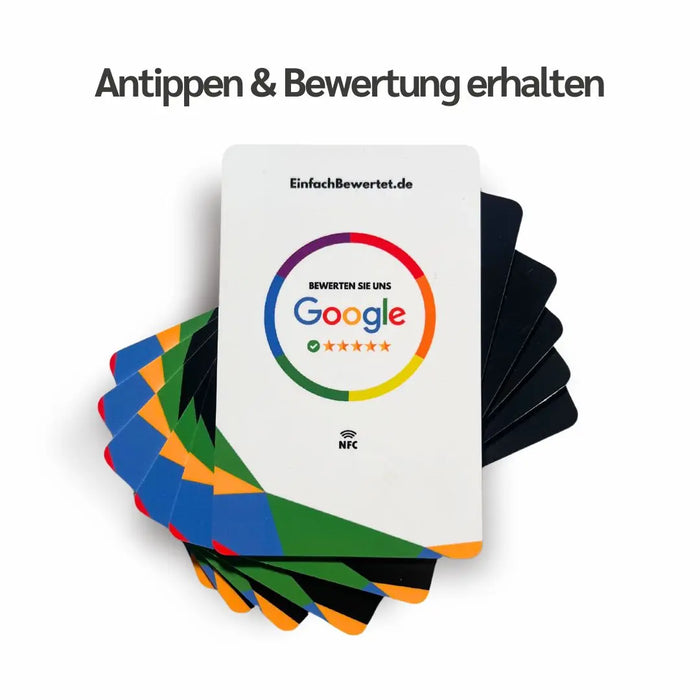
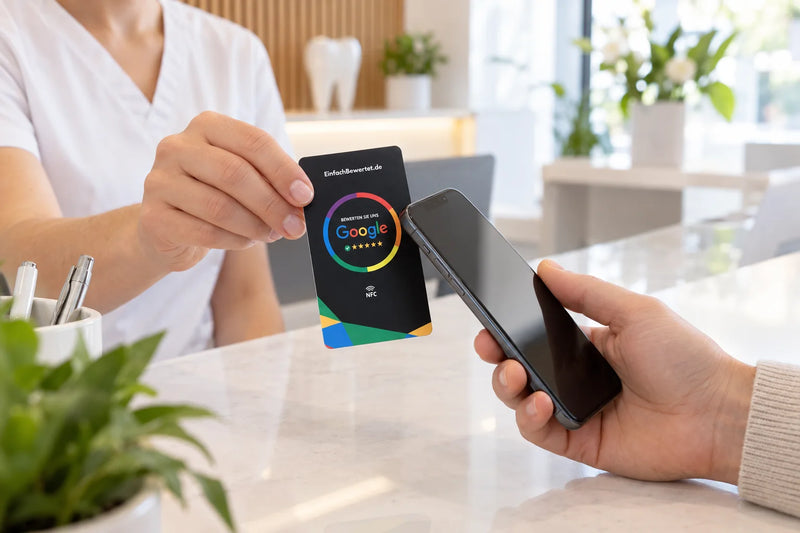
- NFC card: good for personal handover, field service, trades, delivery services and invoice folders.
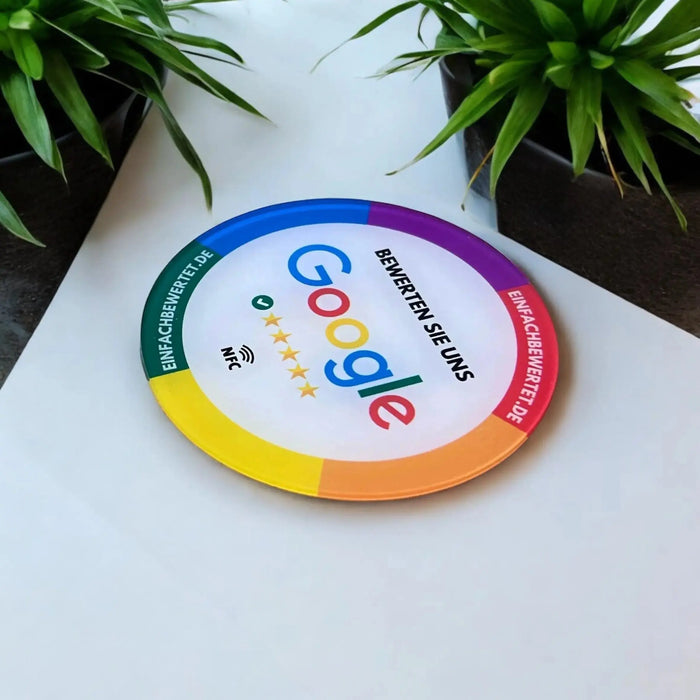
- Self-adhesive NFC disc: suitable for counters, card terminals, till areas, mirror stations or reception desks.
- Phone sticker: practical for field service employees, salespeople, estate agents or service staff.
- QR code business card: useful when customers should take something with them, for example after a consultation, treatment or vehicle handover.
For hospitality and franchise businesses, a combination of table display and card usually makes sense: the display for the on-site moment, the card for takeaway, catering or regular customers. In medical practices and law firms, the wording should be particularly restrained so that customers or patients do not feel pressured. In the trades, the request often works best after successful acceptance or handover, not weeks later by email.
How do you measure and improve the review rate?
You improve the review rate by regularly checking location, wording, visibility and response behaviour. An exact scan-to-review rate is difficult to measure without an intermediate page, but you can use practical metrics.
Measure monthly:
- Number of new Google reviews
- Average rating
- Share of reviews answered
- Locations with many or few new reviews
- Common points of criticism in reviews
- Times when feedback is actively requested
For multiple branches, a simple comparison is worthwhile: Which branch has placed the display visibly? Where does the team ask actively but neutrally? Where is the display behind the card reader and barely seen?
The key point is: optimise the process, not the customer’s opinion. If reviews do not come in, it is often due to one of these issues: the code is too small, the link leads to the wrong branch, the team does not ask actively, the display is in the wrong place or the wording sounds too promotional.
You should also respond to reviews regularly. Google recommends managing reviews and responding to feedback; replies show that you take customer opinions seriously.
What should you do about negative or false Google reviews?
You should first respond to negative reviews calmly and factually; only unlawful reviews or reviews that violate guidelines should be reported for removal. Google explicitly states that negative reviews are not automatically a sign of poor performance and can only be removed if they violate policies.
Practical process:
- Save a screenshot, date, username and URL.
- Check: genuine criticism, misunderstanding, mix-up, insult, spam or fake?
- For genuine criticism, respond calmly and offer a solution.
- If there is a policy violation, report the review in your Business Profile.
- In serious cases, obtain a legal review.
- Check the internal cause: waiting time, service, product, communication?
A good response is short, professional and does not include customer data. Do not write defensively and do not discuss details publicly. Example:
“Thank you for your feedback. We’re sorry that your visit did not meet your expectations. Please contact us directly so we can review the matter and find a solution.”
If a review is clearly false, insulting or not based on an actual experience, you should proceed in a structured way and not react impulsively. For unjustified reviews, a step-by-step guide can be helpful; in legally sensitive cases, a specialist lawyer should review the situation.
Our view
A QR code display stand for Google reviews works not because it is technically complicated, but because it uses the right moment. In our experience, many businesses do not fail because of the link, but because of the process: the display is too far back, the team does not mention it, the QR code leads to the wrong branch or the request sounds like “Please give us 5 stars”. That is exactly what should be avoided.
We see the best results when the display becomes part of a simple standard: place it visibly, ask neutrally, offer no reward and respond to reviews regularly. In restaurants, the moment directly after praise or during payment is particularly strong. In medical practices, trades and consulting, it works better after a completed appointment or successful handover. For branches, it is crucial that each location uses its own review link.
The combination of QR code and NFC is also important. QR code is familiar and visible; NFC is faster. Together, they lower the barrier. Even so, every review remains voluntary. A display stand is no substitute for good service, but it ensures that satisfied customers do not have to search for the way to leave a review.
— Simplify Reviews Team
How we help
Simplify Reviews sets up QR and NFC products so that customers land directly in the right Google review form. For counters, reception desks and restaurant tables, there is the Google review display stand with NFC; for handovers, invoices or mobile teams, NFC review cards are a good fit. If your profile itself is still incomplete, we can support you with Google Business Profile optimisation. For branches, franchise businesses or restaurants with several locations, you can use a free consultation in advance.
Frequently asked questions
Can I reward customers in Germany for a Google review?
No, you should not do that. Google explicitly prohibits incentives such as free or discounted goods or services in exchange for reviews. A discount, free drink or prize draw only for reviewers is therefore also risky.
How do I get more Google reviews for my restaurant?
Place the QR code display stand where guests wait or pay, and combine it with a neutral request from your service staff. The moment after praise, during payment or after a successful visit works especially well. Important: ask for honest feedback, not for 5 stars.
Does a Google review QR code display stand work without an app?
Yes. With a QR code, the customer scans the code using their smartphone camera; with NFC, a tap on the marked area is usually enough on current devices. However, the customer generally needs a Google account to submit the review.
Can I have a negative Google review deleted?
Yes, but only if it violates policies or the law, for example in cases of spam, insults, mistaken identity or lack of a genuine experience. A normal negative opinion is usually not deleted. Secure evidence and report the review in a structured way through your Business Profile.
Is NFC better than a QR code?
NFC is faster because the customer only has to tap instead of opening the camera. However, the QR code is important as a fallback because some users have disabled NFC, do not know where the chip is located or use an older device. That is why the combination is usually better in everyday use than either option on its own.
Does every branch need its own QR code?
Yes, if each branch has its own Google Business Profile. Otherwise, reviews will end up at the wrong location, which is problematic for customers, branch management and local visibility. Always test each QR code with several devices before printing.
Sources
- Google Business Profile Help: Create a link or QR code to request reviews
- Google Business Profile Help: Tips for getting more reviews
- Google Business Profile Help: Improve your ranking in local search results
- Google Maps: Prohibited & restricted content
- Google Business Profile Help: Report inappropriate reviews
- Gesetze im Internet: German Unfair Competition Act
- Bitkom: Restaurants and cafés – online reviews are decisive
- Apple Developer: Adding Support for Background Tag Reading
- Android Developers: NFC basics
- Verbraucherzentrale: Recognising fake reviews
Further reading
- Create a Google review link: guide with templates
- Review gating is prohibited in Germany: what you need to know
- Review link on a till receipt: using QR codes correctly
- Guide: increase Google reviews for restaurants
Title image: symbolic image (AI-generated)